Manual
igus® smart plastics
EC. W
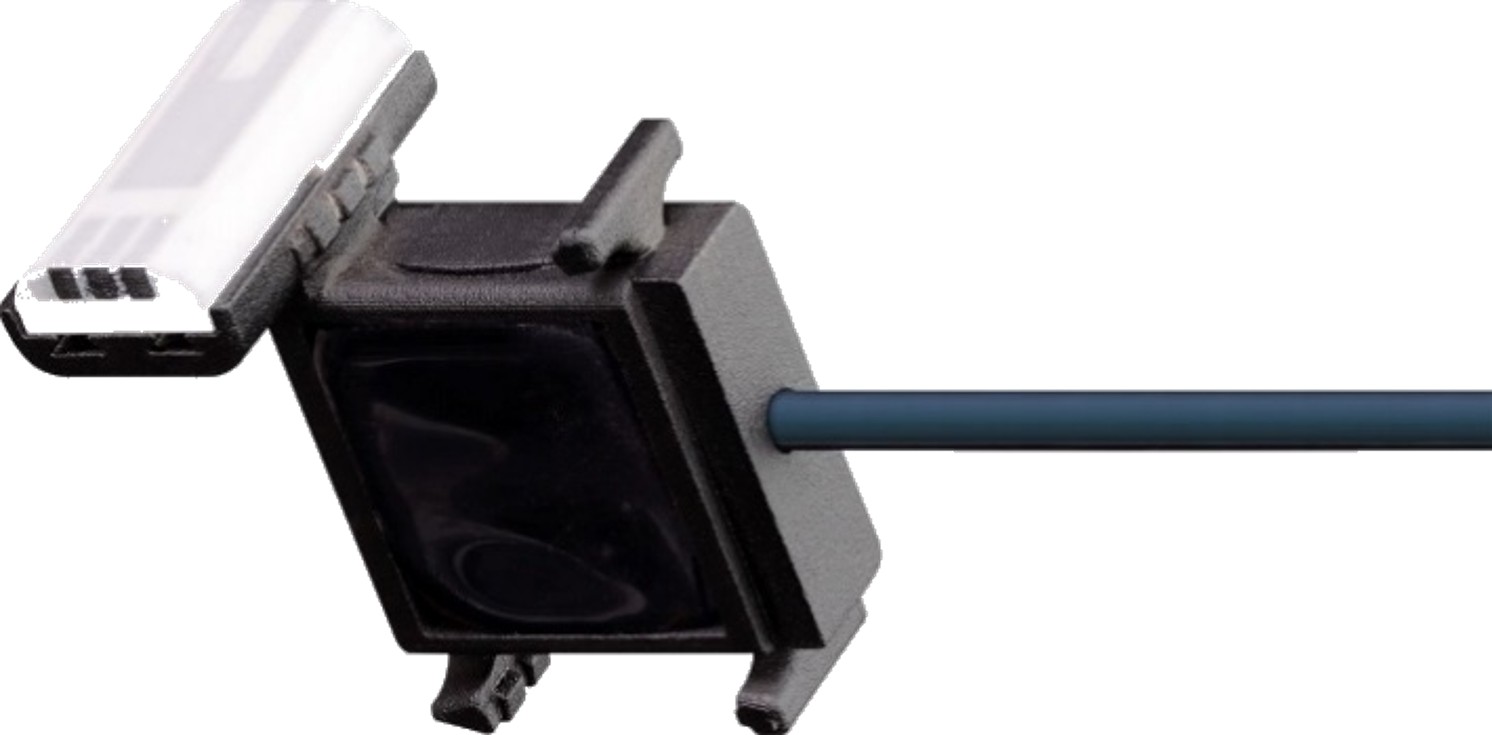
Security
Read this manual in its entirety before commissioning. Observe all safety and installation instructions; product-specific protective measures can be found in the respective chapters. If used in the entire system, this information must be passed on to the end user.
Warranty is only valid in accordance with the specifications specified in this manual and is limited to repair or replacement of the EC.W. igus® assumes no liability for integration tasks, consequential damage, misuse or unauthorized modifications. We reserve the right to make changes to the product and the documentation.
The EC. W may only be operated if:
- Installation and safety instructions are observed,
- the housing is mounted in accordance with ESD/EMC standards,
- no modifications have been made to the device and it is in perfect condition,
- the operating limits specified in the technical data are respected.
Qualified personnel
The EC. W may only be operated and maintained by qualified specialists.
-
The staff must have read and understood this manual and any additional documentation that may exist.
-
Personnel must be familiar with all relevant applicable standards, regulations and accident prevention regulations.
-
The staff must be able to foresee or recognize any hazards that may arise when using the system.
-
Personnel must be able to ensure the safety of people and objects when using the sensor unit in the overall system.
-
Personnel must be trained in the handling of ESD-sensitive equipment and take all necessary precautions.
The following information boards will appear a few times in the manual, they are classified so that the degree and type of hazard are marked.
DANGER!
Safety instructions marked DANGER indicate an imminent danger situation.
WARNING!
Safety instructions marked with WARNING indicate a possible dangerous situation. Failure to comply with the warning may lead to a serious or even fatal accident or property damage.
CAUTION!
Safety instructions marked with CAUTION indicate a possible dangerous situation. Failure to comply with the instructions may lead to an accident or property damage.
NOTE!
Safety instructions marked with NOTICE indicate a possible dangerous situation. Ignoring the information may lead to property damage. General instructions and explanations are also marked in this way.
Product Overview
Variants
| Variant | Description |
|---|---|
| EC. W.F. | Low-cost variant for direct connection to the customer's PLC; 3 wear levels can be detected |
| EC. W.F.P. | Variant for connection to i.Cee:plus II for direct lifetime calculation; 4 wear levels can be detected |
Mechanical specifications
| Mechanical specifications | |
|---|---|
| Dimensions (D × W × H) incl. plugs & fasteners | Varies with e-chain® (adapted to opening bridge × 18 mm × adapted to internal height) 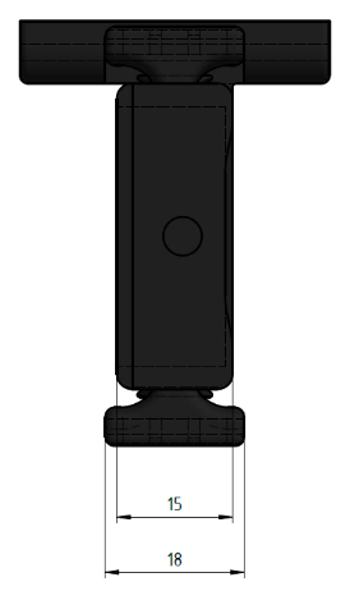 |
| Weight | approx. 120 g |
| Fastening / assembly | In the last chain link at the fixed point of the e-chain®, wear block pointing towards the abrasion surface |
| Colour | black |
Electrical specifications / interfaces
CAUTION!
An operating voltage above the voltage specified in the technical data can destroy the device. Always select an operating voltage within the specified range.
| Electrical specifications | |
|---|---|
| Power supply | 5… 30 V DC (1 A max.) |
| Power supply potential-free contacts / I/O ports | 5… 30 V DC (0.15 A max.), depending on operating voltage |
| Output voltage UART | 5 V DC (25 mA max.) |
| Abrasion contacts | 5 V DC (1.5 mA max.), low-active |
| Interfaces | |
|---|---|
| UART | 5 V, output, 9600 baud, 8N1, no parity |
| I/O ports | Logical states, high active |
WARNING!
- Risk of malfunctions
- Fire hazard
- Explosion hazard
- Risk of electric shock
Do not operate the EC.W.F. / EC.W.F.P. in water, humid environments, aggressive/flammable/explosive atmospheres or under extreme vibrations.
Due to self-heating, ensure the outside temperature does not exceed 40 °C. If this cannot be guaranteed, use a ventilated or air-conditioned housing.
| Environmental conditions | ||
|---|---|---|
| Temperature range | Operation | -20… 40 °C |
| Storage | -40… 45 °C | |
| Transport | -40… 45 °C | |
| Relative humidity | Suitable for outdoor use, hermetically sealed, otherwise non-condensing | |
| Protection | IP67 (DIN EN 60529) |
Installation
Mechanical installation
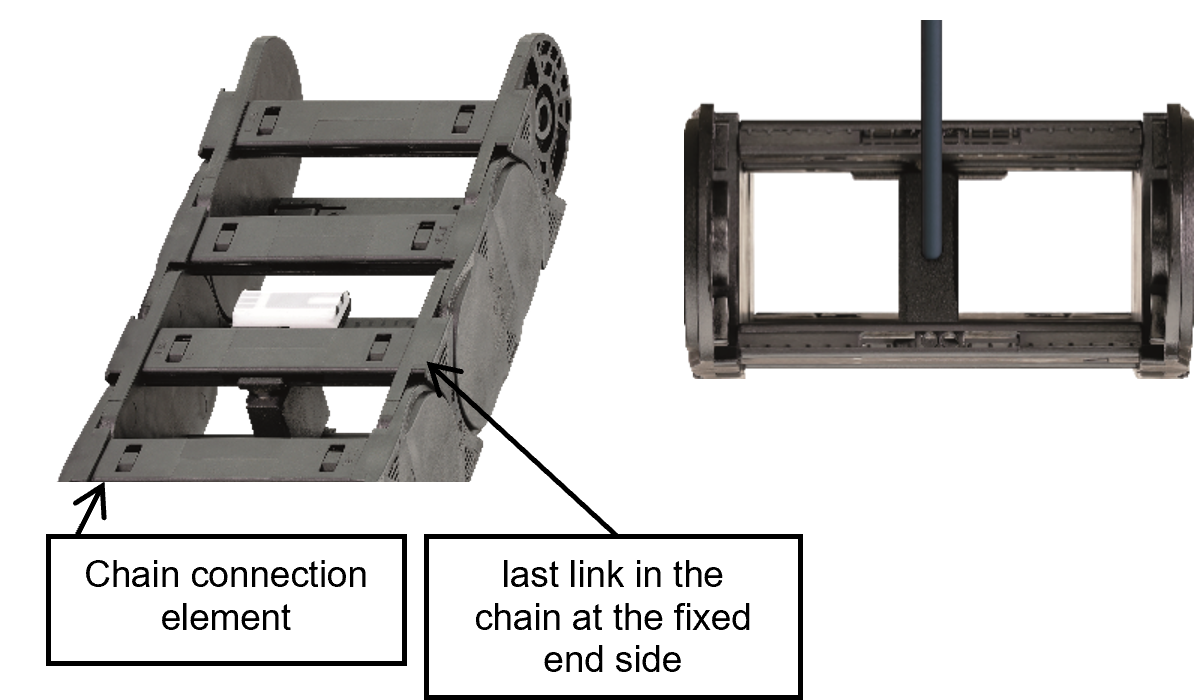
Install the sensor: - In the last chain link at the fixed point (static area of the chain) - Centered between upper and lower opening bridge - Separation bar with wear block pointing towards the sliding part of the e-chain® - Use as a commercially available igus® separator; if necessary, replace separation bars with special separation bars
Get assembly manual here:
https://igus.widen.net/s/2rdsmcrvd7/sma_i.sense-ec.w-montageanleitung--assembly-instructions
CAUTION!
There is a risk of crushing when installing the sensor. Please wear gloves or take other protective measures.
NOTE
Make sure that the e-chain® series embossed on the sensor matches the installed igus® e-chain®. Deviating sensors can be damaged if installed incorrectly.
NOTE
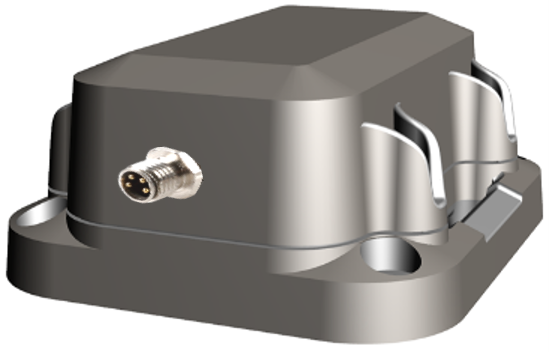
The board is housed in a separate housing which must be securely attached.
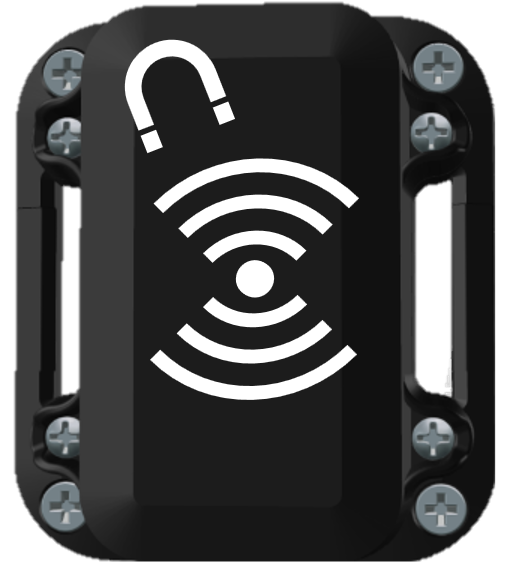
You can reset the sensor by holding a magnet on the top of that box for approx. 2 seconds.
Electrical installation
WARNING!
Immediately switch the device voltage-free in the event of damage (including to connection cables) and in case of interference or unusual phenomena such as arcs, sparks, smell of fire or noticeable noise.
- Disconnect all electrical energy sources from the device.
- Do not attempt to repair the device yourself.
- Report defects immediately, warn others and contact the responsible igus® branch.
Possible hazards: - Risk of electric shock - Danger of electric arcs - Injury hazard - Risk of component destruction
Always switch off the power supply before disconnecting or establishing electrical connections. Secure the power supply against reactivation.
Cables connected to EC. W.F / EC. W.F.P must not have exposed stripped wire ends. Ensure all connections are securely seated.

Commissioning and user interface
Commissioning
With i.Cee:plus II (delivered with IS. EC. W.F.P.SU.01.BETA)
The sensor is connected via UART directly to i.Cee:plus II. Further steps can be found in the instructions for i.Cee:plus II (QR code on the device).
Directly to PLC (delivered with IS. EC. W.F.SU.01.BETA)
- Provide 3 digital PLC inputs (typically 24 V DC inputs) and connect them to the 3 digital sensor outputs.
- Use the I/O ports as inputs; the contacts on the sensor are normally open.
- Evaluate the input states according to the following logic:
| I/O Port 1 | I/O Port 2 | I/O Port 3 | Remaining lifetime |
|---|---|---|---|
| 1 | 1 | 1 | 100… 76% lifetime remaining |
| 0 | 1 | 1 | 75… 51% lifetime remaining |
| 0 | 0 | 1 | 50… 26% lifetime remaining |
| 0 | 0 | 0 | < 25% lifetime remaining (chain replacement should be initiated) |
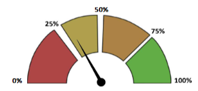
Process the state variables in your PLC program, e.g. by mapping the three states into your user interface.
Example:
Reset
You can reset the sensor by holding a magnet on the top of that box for approx. 2 seconds.
Troubleshooting
- Data transfer or I/O ports not available
- Check that all lines are connected, correctly and securely.
- If this does not help, please contact customer service.
- Sensor does not fit the e-chain®
- Contact customer service and ask for a suitable sensor.
FAQS
- How do I retrieve lifetime information?
- i.Cee:plus II displays lifetimes in the user interface.
- In the PLC, states are transmitted via I/O ports and processed in your PLC logic.
- Is it possible to download the sensor's data from the user interface?
- Nope.
- Is it possible to replace the wear block?
- Yes.
Abbreviation
| Abbreviation | Description |
|---|---|
| EMC | Electromagnetic compatibility |
| ESD | Electrostatic discharge |
| GUI | Graphical user interface |
| PLC | Programmable logic controller |
Regulatory & Legal
Compliance with EU Directives The CE marking on the EC. W confirms conformity with the following European directives:
| Policy | Description |
|---|---|
| 2014/30/EU Electromagnetic compatibility (EMC) | Directive of the European Parliament and of the Council on the harmonisation of the laws of the Member States relating to electromagnetic compatibility |
| 2014/53/EU | Directive of the European Parliament and of the Council on the harmonisation of the laws of the Member States relating to the making available on the market of radio equipment and repealing Directive 1999/5/EC |
| 2011/65/EU RoHS | Directive of the European Parliament and of the Council on the restriction of the use of certain hazardous substances in electrical and electronic equipment |
The applicable directives are listed in the EU declaration of conformity of the respective device.
Cyber Resilience Act (CRA) Notice The EC. W contains digital components. The security requirements of the EU Cyber Resilience Act (Regulation (EU) 2024/2847) apply to such products. The CRA stipulates that software and networked devices must be operated securely and kept up-to-date throughout their entire life cycle.
To ensure that you can use the EC. W reliably and safely, please note:
- Install deployed firmware and software updates regularly.
- Use secure network and access settings.
- Change default passwords immediately after commissioning.
- Disable unnecessary interfaces or services.
If you notice a technical anomaly or a possible security vulnerability, please report it via the official igus support channel or via the service portal. The CRA also requires users to have access to information about security support, known risks, and update processes. For more details, please refer to the documentation of this product or contact your national market surveillance authority.
Note on the EU Dual-Use Regulation (EU) 2021/821 Individual electronic components and sensors in the EC. W may fall under the EU Dual-Use Regulation (EU) 2021/821, depending on the technical design. This ordinance regulates goods that can be used in both the civilian and military sectors.
A permit may therefore be required for export to countries outside the EU. Whether this applies depends on the target market, the application and the respective technical configuration.
Please check before passing on or exporting the product:
- whether there are export restrictions for your destination country,
- whether your application is considered security-critical or military-grade,
- whether a permit is required under applicable regulations.
For more information, please contact your national export control authority (e.g. BAFA in Germany) or consult the official EU documents.
Service
Customer Service
de-smartplastics-service@igus.net
+49 (0) 2203 9649 9806
Technical support for igus® smart plastics
Documentation/FW
https://www.igus.de/info/i-sense-modul-2
Download manuals, FW updates and certificates
Smart Plastics website
https://www.igus.de/info/vorausschauende-wartung-smart-plastics
Possibility to order sensors, processing units and other accessories
Contact
+49 2203 9649-9507
Imprint
© 2026
All rights reserved.
igus® SE & Co. KG
Spicher Str. 1a
51147 Cologne